
คำอธิบาย
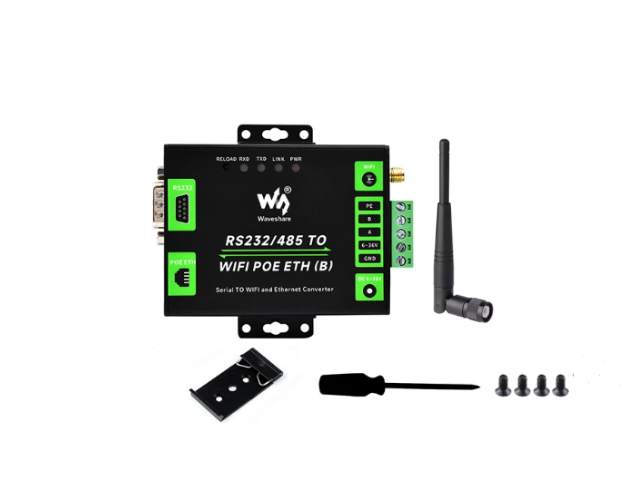
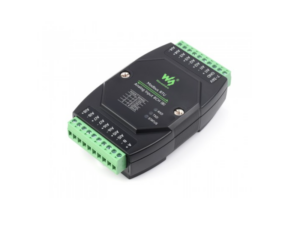
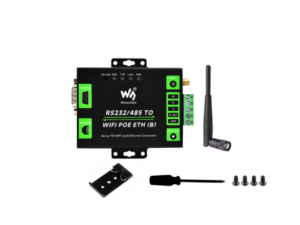
RS232/485 TO WIFI POE ETH (B)
โมดูลแปลงสัญญาณและเก็บข้อมูลสำหรับงานอุตสาหกรรม รองรับ RS232, RS485, WiFi และ Ethernet ในอุปกรณ์เดียว ใช้งานได้ทั้งเป็น Serial Server, Modbus Gateway, MQTT Gateway และ Serial to HTTPD Client เหมาะสำหรับงาน Data Acquisition, IoT Gateway, ระบบความปลอดภัย และการมอนิเตอร์เครื่องมือวัดอัจฉริยะ
Product Description
- SKU:25223
- Part No.:RS232/485 TO WIFI POE ETH (B)
- Brand:Waveshare
- RS232/485 TO WIFI ETH (B)
- Cortex-M4 120MHz
- Power supply: 5.0~36.0V (5V recommended)
- Operating current: 86.5mA (@5V)
- Interface protection: reverse-proof, ESD protection, anti-surge
- Operating temperature: -40~85°C
- Storage temperature: -40~105°
Serial Port RS232/RS485
- Data bit: 5bit, 6bit, 7bit, 8bit
- Stop bit: 1, 2
- Parity bit: None, Odd, Even, Mark, Space
- Baudrate: 600bps~230.4Kbps
- TX cache: 2Kbyte
- RX cache: 2Kbyte
- Hardware flow control: RTS/CTS
- Interface protection:
- RS485: 2KV ESD protection, lightningproof, anti-surge, over-current protection RS485 pull up/down registers: 2.2KΩ
- RS232 (ESD/EFT) RS485 (ESD/EFT/surge protection)
Ethernet
- อัตราการสื่อสาร: 10/100Mbps
- การป้องกันอินเทอร์เฟซ: การแยกแม่เหล็กไฟฟ้า 2KV
- โปรโตคอล: IP, TCP, UDP, ARP, ICMP, DHCP, DNS, ไคลเอนต์ HTTPD, Websocket
- TX cache: 16Kbyte
- RX cache: 16Kbyte
WiFi
- Support 802.11b/g/n
Dimension
- 82.8 × 85.7 × 25mm
ในชุดประกอบด้วย
- 1pcs x Waveshare Converter Module RS232/RS485 TO WIFI POE ETH Ethernet
- 1pcs x WiFi antenna 2.4Ghz
- 1pcs x Rail-mount Bra
Development Resources
RS232/485 TOWIFI ETH(B) User Manual
การนำไปใช้งาน
- เหมาะสำหรับงานเก็บข้อมูลจากอุปกรณ์ภาคสนาม งานเชื่อมต่อ PLC, มิเตอร์, เซนเซอร์, คอนโทรลเลอร์ และเครื่องมือวัดต่าง ๆ เข้าสู่ระบบเครือข่ายหรือระบบ Cloud ใช้งานได้ในระบบ Data Acquisition, IoT Gateway, Safety and Security IoT และ Intelligent Instrument Monitoring
10.10.100.254
- เปิดคอมพิวเตอร์โน้ตบุ๊ก หรือสมาร์ทโฟน แล้วเปิดค้นหาสัญญาณ WiFi
- จะพบชื่อ WiFi ที่ขึ้นต้นด้วย Waveshare_xxxx (xxxx คือตัวเลข 4 ตัวท้ายของ MAC Address ของกล่อง) ให้กดเชื่อมต่อสัญญาณนี้
- สัญญาณ WiFi นี้จะไม่มีรหัสผ่าน (เป็นแบบ Open) สามารถกดเชื่อมต่อได้เลย
- เมื่อเชื่อมต่อ WiFi ของ Waveshare สำเร็จแล้ว ให้เปิดเว็บเบราว์เซอร์ แล้วพิมพ์ 10.10.100.254 อีกครั้ง
- ครั้งนี้หน้าต่างล็อกอินจะแสดงขึ้นมา ให้ใส่ Username: admin และ Password: admin
- ไปที่เมนู Ethernet Setting ทางซ้ายมือ
- ในส่วนของ Ethernet function ตรงช่อง Open the Ethernet ให้เปลี่ยนค่าเป็น “Enable”
- กดปุ่ม Apply
- จากนั้นไปที่เมนู Device Management แล้วคลิกปุ่ม Restart เพื่อให้กล่องบันทึกค่าและเริ่มต้นการทำงานใหม่
การใช้งานเซนเซอร์ Modbus RTU ร่วมกับฟังก์ชันคลาวด์ผ่านโปรโตคอล MQTT ด้วยอุปกรณ์ Waveshare RS232/485 TO WIFI ETH (B)
- เปลี่ยนโหมดการทำงาน: สามารถตั้งค่าผ่านหน้าเว็บการจัดการ (Web Management) หรือใช้คำสั่ง AT Command เพื่อเปลี่ยน “Data Transfer Mode” ให้เป็น Modbus TCP<=>Modbus RTU
- การดึงข้อมูลอัตโนมัติ (Modbus Polling): หากต้องการให้อุปกรณ์ส่งคำสั่งไปดึงข้อมูลจากเซนเซอร์อย่างต่อเนื่อง สามารถเข้าไปที่หน้า Application Setting เพื่อเปิดฟังก์ชัน Modbus Polling และตั้งเวลารอบการดึงข้อมูล (Polling Time out) ได้ตามต้องการ (เช่น 200ms) หรือใช้คำสั่ง
AT+MODBPOLLEN=onควบคู่กับAT+MODBPOLLT=200
- Server Address และ Server Port ของโบรกเกอร์ MQTT
- Client ID, Username, และ Password สำหรับการยืนยันตัวตน
- ข้อมูลเหล่านี้สามารถตั้งค่าผ่านคำสั่ง AT Command ได้เช่นกัน (เช่น
MQTTSVR,MQTTID,MQTTUSR,MQTTPWD)
การส่ง Command ทดสอบดึงค่าจากเซ็นเซอร์
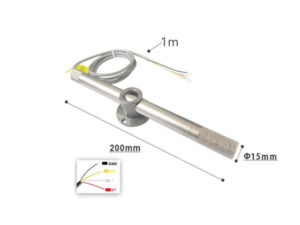
- การสื่อสารระหว่าง SSTH03 เซนเซอร์วัดอุณหภูมิและความชื้น Temperature Humidity Sensor PLC-FJ60 Analog 4-20mA
- ผ่านระบบ Modbus RTU (RS485) โดยใช้ตัวแปลงสัญญาณ Waveshare RS485 to Ethernet (Modbus Gateway)
หลักการทำงาน
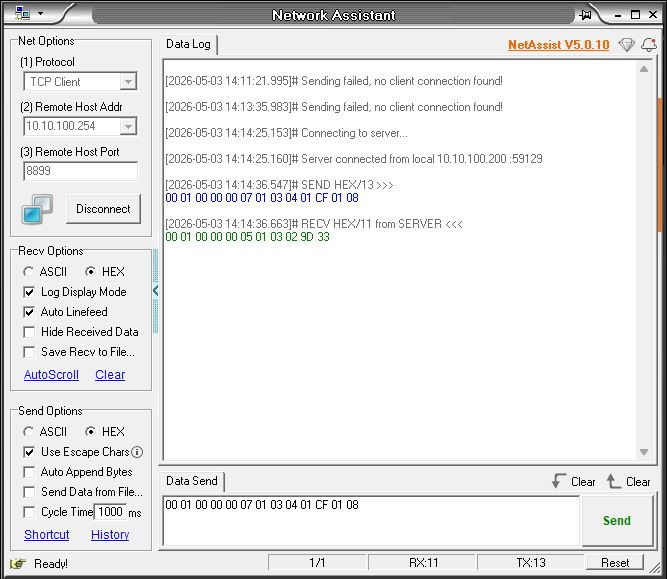
- ใช้โปรแกรม Network Assistant ส่งคำสั่ง Modbus TCP
- คำสั่งถูกส่งไปยัง Waveshare Gateway
- Gateway แปลงคำสั่งเป็น Modbus RTU
- ส่งต่อไปยัง Sensor ผ่าน RS485
- Sensor ตอบกลับข้อมูล
- Gateway แปลงกลับเป็น Modbus TCP
- ส่งกลับมายัง Network Assistant
คำสั่งที่ใช้ทดสอบ
00 01 00 00 00 06 01 03 00 00 00 02ความหมาย:
| Field | ค่า |
|---|---|
| Transaction ID | 00 01 |
| Protocol | 00 00 |
| Length | 00 06 |
| Unit ID | 01 |
| Function | 03 (Read Holding Registers) |
| Start Address | 0000 |
| Quantity | 0002 |
ผลลัพธ์ที่ได้รับ
[2026-05-03 14:26:54.601]# RECV HEX/13 from SERVER <<<
00 01 00 00 00 07 01 03 04 01 4B 01 0D
การแปลผล Temparature / Humidity
แยกค่า
00 01 = Transaction ID
00 00 = Protocol ID
00 07 = Length
01    = Sensor Address / Unit ID
03    = Function 03 Read Holding Register
04    = Byte Count = 4 byte = 2 Register

01 4B = Register 1
01 0D = Register 2
ค่าที่อ่านได้
01 4B→ 33101 0D→ 269
ใช้ Scale (มาตรฐาน sensor RS485 ทั่วไป)
- ÷10
ผลลัพธ์สุดท้าย
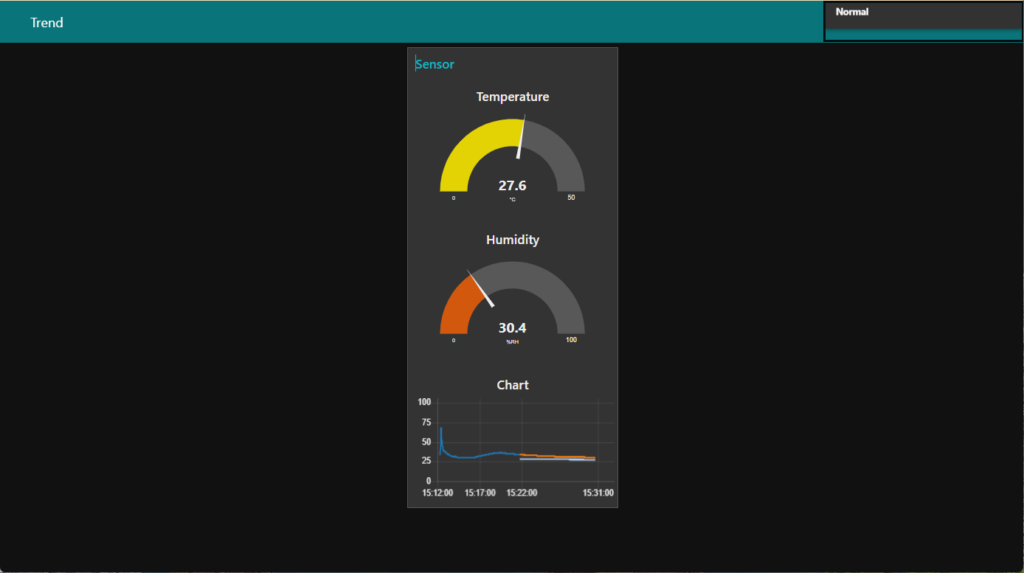
Humidity = 33.1 %RH
Temperature = 26.9 °C
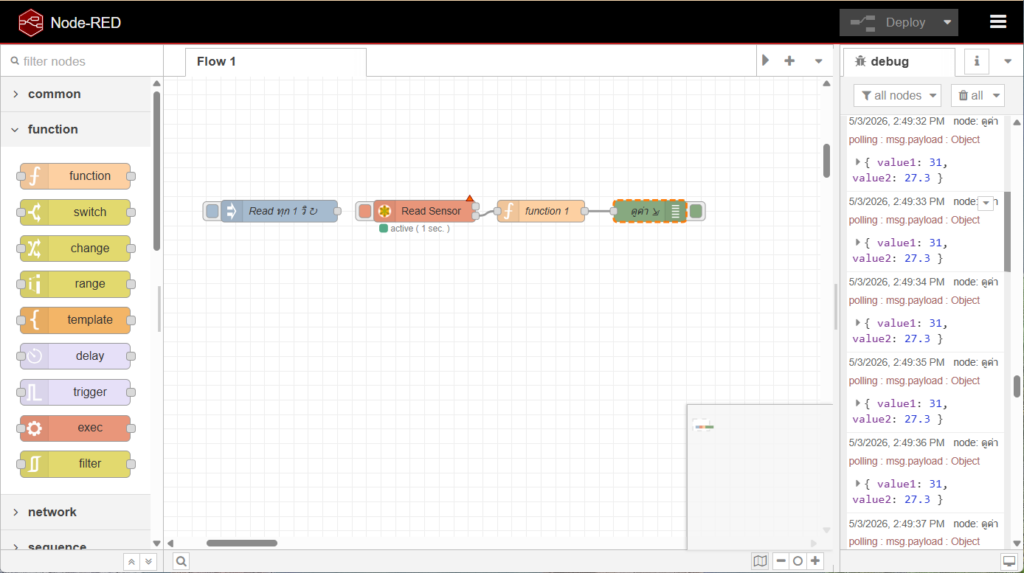
Node-RED อ่านค่า CJ6485 ผ่าน Waveshare Gateway
รีวิว
ยังไม่มีบทวิจารณ์