
หลักการควบคุมไดรเวอร์มอเตอร์ L298 ด้วย Arduino และสมาร์ทโฟน จะต้องตั้งค่าการสื่อสาร Bluetooth ระหว่าง Arduino และสมาร์ทโฟน ติดตั้งโมดูล Bluetooth เช่น Bluetooth HC-05 (ZS-040) บน Arduino และต่อสายตามแผ่นข้อมูลของโมดูล ส่งคำสั่งจากสมาร์ทโฟนไปยัง Arduino เพื่อควบคุม L298 และมอเตอร์ที่เชื่อมต่ออยู่ ตัวอย่างเช่น ส่ง “F” เพื่อให้มอเตอร์เคลื่อนที่ไปข้างหน้า ส่ง “B” เพื่อให้มอเตอร์เคลื่อนที่ถอยหลัง และ ส่ง “S” เพื่อหยุดมอเตอร์ สามารถส่งคำสั่งเพื่อควบคุมความเร็วของมอเตอร์ เช่น “1” สำหรับความเร็วต่ำและ “9” สำหรับความเร็วสูง
รวบรวมวัสดุที่จำเป็น:
- BDMC04 บอร์ดอาดุยโน่ Arduino Uno R3 Compatible DIP IC CH340 USB Cable
- BDSP02 บอร์ดขับมอเตอร์ DC Motor Driver L298N
- BDBT01 โมดูลบลูทูธ Bluetooth Module HC-06 BT06 (ZS-040)
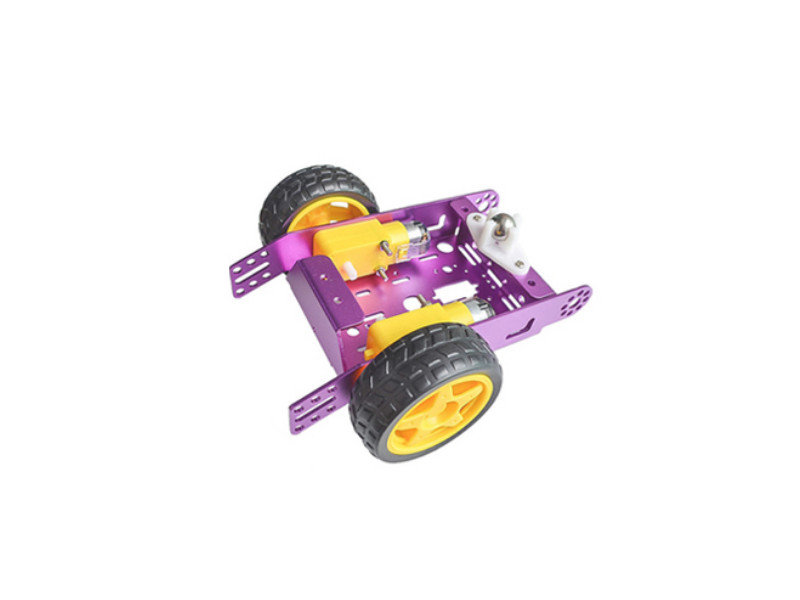
- DC Gear Motor พร้อมล้อ + โครงสร้างรถหรือตัวถังรถเพื่อประกอบฐานล้อ โครงรถอลูมิเนียม Aluminum Frame Robot Car Wheel TT DC Gear Motor
- เครื่องมือช่างที่จำเป็นได้แก่หัวแร้งและตะกั่วบัดกรี
แผนผังการต่อสายไฟ
ติดตั้งแอพเทอร์มินัล Bluetooth บนสมาร์ทโฟน
แอพ Android และ iOS ที่ให้เราส่งและรับข้อมูลผ่านบลูทูธ โดยใช้ Bluetooth terminal app, Serial Bluetooth Terminal, Bluetooth Terminal
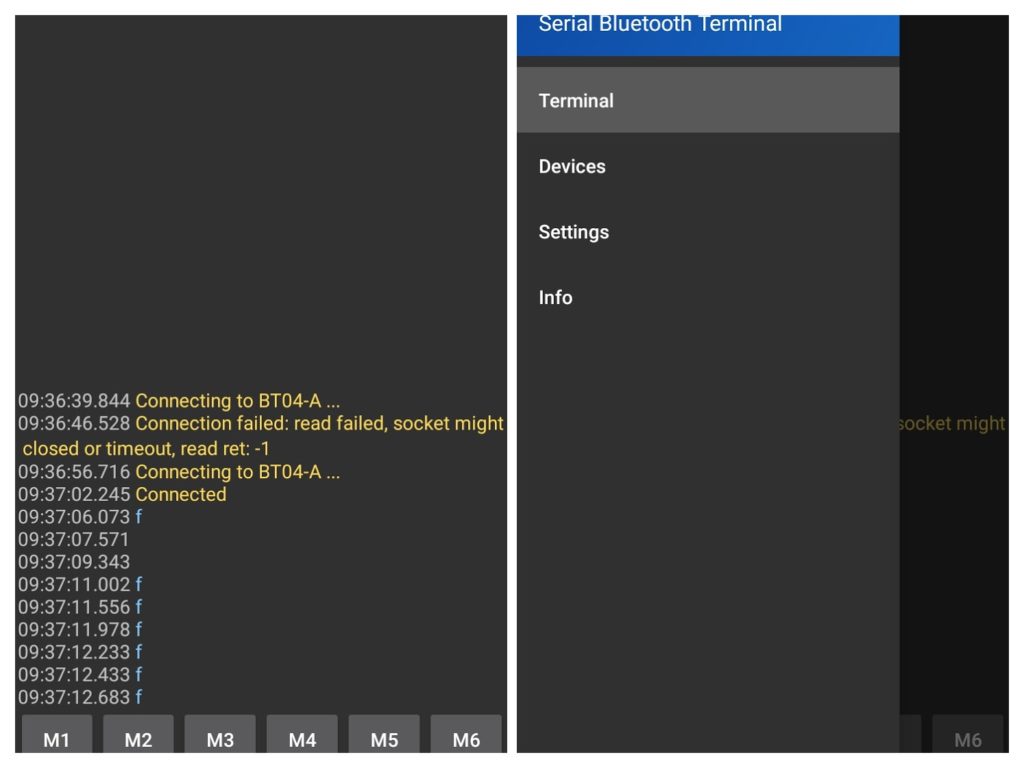
ตั้งค่าฮาร์ดแวร์:
เชื่อมต่อโมดูลบลูทูธ เข้ากับ Arduino
- โมดูลบลูทูธ VCC >> 3.3V Arduino
- โมดูลบลูทูธ GND >> GND Arduino
- โมดูลบลูทูธ RXD >> 11 Arduino
- โมดูลบลูทูธ TXD >> 10 Arduino
เขียน Code: arduino
เขียน Sketch สำหรับ Arduino เพื่อควบคุม L298 ตามคำสั่งที่ได้รับผ่านการเชื่อมต่อ Bluetooth Sketch นี้ใช้ไลบรารี software serial เพื่อตั้งค่าพอร์ตอนุกรมที่สองสำหรับ Bluetooth Module และรับฟังคำสั่งผ่านพอร์ตนี้ในฟังก์ชันลูป เมื่อได้รับคำสั่ง มันจะควบคุม L298 ตามอักขระที่ได้รับ L298 ถูกควบคุมโดยใช้ฟังก์ชันเอาต์พุตดิจิตอลเพื่อกำหนดทิศทางของมอเตอร์ และฟังก์ชันเอาต์พุตแบบอะนาล็อกเพื่อตั้งค่าความเร็วของมอเตอร์โดยใช้การมอดูเลตความกว้างพัลส์ (PWM)
#include <SoftwareSerial.h>

// Set up a software serial port for the HC-05, HC-06 Bluetooth module
SoftwareSerial BTserial(10, 11); // RX, TX

// Set up constants for the L298 control pins
const int in1 = 4; // MOTOR1 DIR
const int in2 = 5; // MOTOR1 DIR
const int enA = 6; // MOTOR1 SPEED

const int in3 = 7; // MOTOR2 DIR
const int in4 = 8; // MOTOR2 DIR
const int enB = 9; // MOTOR2 SPEED

void setup() {
  // Initialize serial communication with the computer
  Serial.begin(9600);
  // Initialize serial communication with the HC-05
  BTserial.begin(9600);

  // Set up the L298 control pins as outputs
  pinMode(enA, OUTPUT);
  pinMode(in1, OUTPUT);
  pinMode(in2, OUTPUT);
  pinMode(enB, OUTPUT);
  pinMode(in3, OUTPUT);
  pinMode(in4, OUTPUT);
}

void loop() {
  // Check if there is data available from the HC-05
  if (BTserial.available()) {
    // Read a single character from the HC-05
    char c = BTserial.read();
            Serial.print(c);

    // Check the character and control the L298 accordingly
    switch (c) {
      case 'f':
  // Forward
  digitalWrite(in1, HIGH);
  digitalWrite(in2, LOW);
  digitalWrite(in3, HIGH);
  digitalWrite(in4, LOW);
  analogWrite(enA, 255); // Full speed
  analogWrite(enB, 255); // Full speed
        break;

      case 'b':
  // Backward
  digitalWrite(in1, LOW);
  digitalWrite(in2, HIGH);
  digitalWrite(in3, LOW);
  digitalWrite(in4, HIGH);
  analogWrite(enA, 255); // Full speed
  analogWrite(enB, 255); // Full speed
        break;

      case 's':
  // Stop
  digitalWrite(in1, LOW);
  digitalWrite(in2, LOW);
  digitalWrite(in3, LOW);
  digitalWrite(in4, LOW);
  analogWrite(enA, 0); // 0% duty cycle
  analogWrite(enB, 0); // 0% duty cycle
        break;

      case '1':
        // Low speed
        analogWrite(enA, 128); // 50% duty cycle
        analogWrite(enB, 128); // 50% duty cycle
        break;

      case '9':
        // High speed
        analogWrite(enA, 255); // 100% duty cycle
        analogWrite(enB, 255); // 100% duty cycle
        break;

      default:
        // Invalid command
        break;
    }
  }
}